

Terminating an Employee in Colorado: Final Pay, At-Will Rules and Risk
Terminating an employee in Colorado: what the at-will rule allows, when the final paycheck is due, what goes in it and how to lower the legal risk.





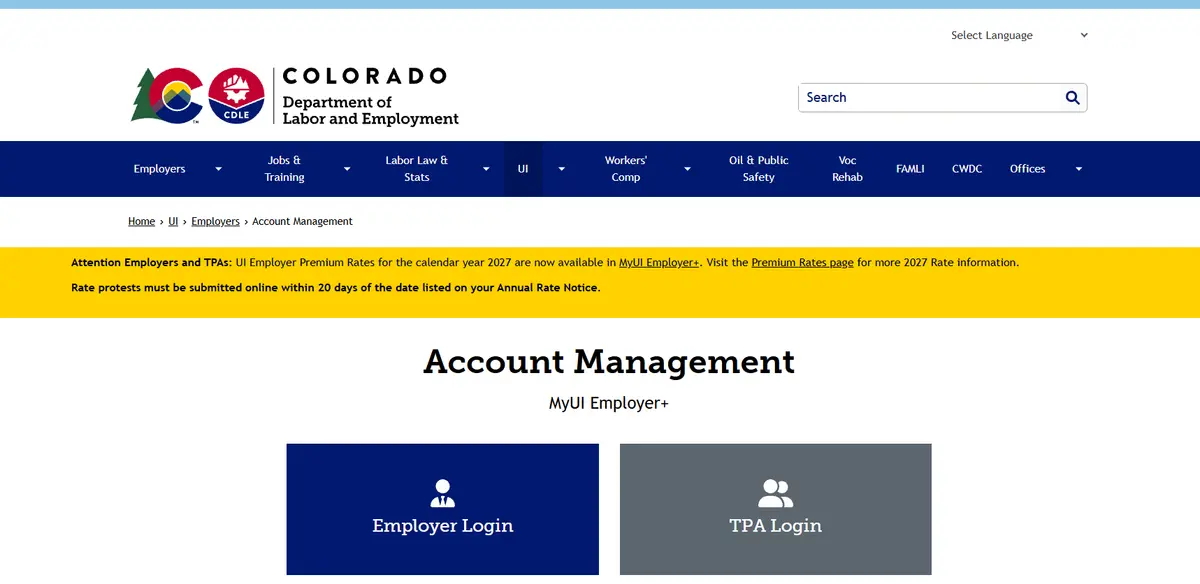
A client sent me their Colorado unemployment rate notice and asked, “What is this? Why did my rate change? And what am I supposed to do with it?”
All fair questions. You get a percentage from the state, you know it’ll affect payroll, and somehow you’re also supposed to know whether the number is right.
Here’s how I’d work through it with you. First, check the date on the notice. Colorado gives employers 20 days from the date listed on the annual or amended rate notice to file a rate protest. Then pull the records behind the rate so you can see what changed and whether anything needs correcting.
Your notice tells you the unemployment insurance rate Colorado assigned your business for 2027. It’s an employer payroll cost. It doesn’t come out of your team members’ paychecks.
Colorado applies the rate to each covered team member’s wages up to a limit for the calendar year. You’ll hear that limit called the taxable wage base. So if you’re estimating what you’ll pay next year, ask payroll for projected Colorado unemployment taxable wages. Your total payroll budget can be a much bigger number.
Here’s what a change can look like in dollars: If your rate goes from 2% to 3% and you expect $100,000 in taxable wages across your team, your estimated cost goes from $2,000 to $3,000. That’s an extra $1,000 to put in the budget if the wage estimate stays the same.
If your business has enough history with Colorado’s unemployment system, the state generally looks at three things: the premiums credited to your account, the unemployment benefits charged to your account, and your average annual taxable payroll. The state’s rate schedule also matters, so your rate can move even if you haven’t seen an increase in claims. If you’re a newer employer, check whether the notice assigns you a starting rate rather than a rate based on your own history.
The part that trips people up is that these numbers cover different time periods. For an established employer with a full reporting history, the payroll figure generally averages three state fiscal years, each running July through June. Premiums and benefit charges, on the other hand, generally reflect the history of the account used in the calculation. So last year’s payroll total and the handful of claims you remember from this year won’t necessarily explain the rate.
Start with this year’s notice, last year’s notice, and your records in MyUI Employer+. If you use a payroll provider, ask for the actual Colorado quarterly unemployment wage reports, any corrections, and payment confirmations. A year-end payroll summary is useful for budgeting, but the quarterly reports are what you want for this comparison.
Check the legal business name and Colorado unemployment account number first. If you have more than one company on the same payroll platform, make sure you’re pulling reports for the company on the notice.
For a business with a full three-year reporting history, the payroll periods generally used for a 2027 rate are July 2023–June 2024, July 2024–June 2025, and July 2025–June 2026. If you opened the business more recently or took over another business, ask which periods and account history Colorado used before trying to match the totals.
Use the Colorado unemployment taxable wages from the quarterly reports. Group them into the July–June periods, use the latest corrected figures, and compare the average with the figure Colorado used.
Here’s an example for an employer with three full years of reports:
If the state shows $210,000, the payroll figure lines up. If the state shows $195,000, check the quarters one at a time. Was a corrected report included? Did you pull wages for the right account? You can take a specific question to payroll or the state: “Our quarterly reports average $210,000 in taxable wages, but the rate calculation shows $195,000. Which quarter is different?”
Pull your benefit charge statements. Start by counting the distinct claims with charges, then add up the amounts charged, taking any credits or reversals into account. One claim can show up more than once on your statements, so several entries don’t necessarily mean several people filed. And a claim being filed doesn’t automatically mean your account was charged.
Say you find three claims with net charges of $250, $750, and $4,000. That’s $5,000 in charges, with most of it coming from one claim. If the $4,000 charge looks unfamiliar, start there. Check the original notice, the amounts on the statements, and whether any expected credit was posted. Use recent statements to explain recent changes; if you’re checking the full benefits figure used for the rate, ask CDLE for the account detail behind that total.
Compare the state’s payment history with your payroll provider’s confirmations. If your provider says a payment went through but you don’t see it in MyUI Employer+, ask for the payment date, amount, confirmation number, and employer account number. That gives you something specific to trace.
If the payroll, benefits, and payments all line up and the rate still moved, ask CDLE: “Which part of the calculation or rate schedule changed from last year?” You can ask that without doing the state’s math yourself.
If the rate looks right: Send the full notice to payroll and ask, “Can you confirm this rate will be in place for our first 2027 payroll?” Keep the notice and the reply together. Next year, you’ll have a clean starting point for your comparison.
If something looks wrong: Write down the exact difference and gather the records that support it. Colorado directs employers to file rate protests through MyUI Employer+ within 20 days of the date on the annual or amended notice. If your payroll provider is helping, agree on who will file and who will save the confirmation. If the issue is a particular benefit charge, check the instructions and deadline for that charge separately. A rate protest and a benefit-charge protest are two different processes.
If the notice is still sitting in your inbox, open it and check the date today. From there, your job is manageable: match the records, flag anything you can’t explain, and make sure someone owns the next step.
If you'd like a second set of eyes on your notice, get in touch.
Yes. Even if your rate is unchanged, it is still helpful to send the full notice to whoever runs payroll and ask them to confirm the rate is set up for 2027. Save the notice and their confirmation together so you have a starting point for next year’s notice.
No. Colorado unemployment insurance premiums are a cost your business pays. The rate applies to each covered team member’s wages up to the state’s annual limit.
New claims are only one piece of the picture. Your rate can also change because of changes in your average taxable payroll, your account’s payment and benefit charge history, or the state’s rate schedule. Compare this year’s notice with last year’s to see which figures changed.
Ask for your quarterly Colorado unemployment wage reports, including any corrections. Compare the taxable wages on those reports with the payroll figure the state used for the same period. For established employers with a full reporting history, that figure generally averages three July–June reporting years. Your gross payroll total for the last calendar year is a different number.
No. A claim can be filed without benefits being charged to your account. Check your benefit charge statements in MyUI Employer+ to see which claims resulted in charges, how much was charged, and whether any credits were applied.
Terminating an employee in Colorado: what the at-will rule allows, when the final paycheck is due, what goes in it and how to lower the legal risk.

Colorado's pay transparency law applies from your first team member in the state. It sets what goes in a job posting, which promotions need a notice and how equal pay works.

Exempt or non-exempt? How Colorado employers classify a role under federal law and the COMPS Order, with Colorado's 2026 salary threshold and what to do about a mistake.
HR Fit Check
Tell me a little about your team and I'll point you to the service that fits your business and the way of working together that suits you.
Take the Fit Check